How to Track Wedding RSVPs


Planning your big day and wondering how to track RSVPs for your wedding so you know just exactly who is coming?
You may be finding that planning a wedding comes with its own set of challenges and organising your guests can be one of the biggest ones.
Knowing how many people to cater for, your drinks budget and transportation costs all rely on your guests letting you know whether they will be attending.
In this blog post, I teach you how to track RSVPs for your wedding day, so your wedding day can be full with all of the people that you love and you know who and who not to expect!
We'll cover:
- What are RSVPs?
- Why RSVPs are Important
- How To Track RSVPs For Your Wedding
- Using Text My Wedding
- Using an Excel Spreadsheet
- Giving Your Guests a Deadline
- Having a Follow Up Plan
What are RSVPs?
To know how to track RSVPs for your wedding, you first have to understand what an RSVP is.
The term, 'RSVP' actually comes from the French phrase "répondez s'il vous plaît." Which translates to "respond, if you please."
RSVPs are used to let event organisers or in this case, brides and grooms, know if they are available to attend your event.
Whilst RSVPs were once purely sent via letters, there are a variety of ways that you can now send save the dates and wedding invites to your guests.
Why RSVPs are Important
When planning a wedding day, making sure that people let you know if they are able to attend, in a timely manner, is so important.
When planning a wedding, there are so many different deadlines that rely on knowing how many guests are attending. These include knowing how many people you are catering for, how much transportation you may need etc.
Without tracking the RSVPs for your wedding, you're just going to be doing a bunch of guess work and you can end up paying so much more than you needed to.
Creating a system where you know who is and who is not coming to the wedding will make the wedding planning process far easier.
How To Track RSVPs For Your Wedding
Now, you know why RSVPs are important, here are the best ways to track RSVPs for your wedding day.
| Method | How guests reply | Headcount updates itself | Easy follow-up |
|---|---|---|---|
| Text My Wedding | Tap a personal RSVP link by text | Yes — attending / not attending / no response | Remind only non-responders in one send |
| Spreadsheet | Any channel, you type it in | No — manual | You track who to chase |
| Paper reply cards | No — manual | Slow; cards can arrive late or get lost |
Use Text My Wedding
When wondering how to track RSVPs for your wedding, one of the easiest ways to do that is by using Text My Wedding
With Text My Wedding, you can send out save the dates and wedding invites all with one simple group text message. But that is not all, Text My Wedding has multiple functions to make your wedding date easier.
Firstly, instead of needing to collect all of your wedding contact addresses to send invites, you simply use your guests' phone numbers and text the invitation and RSVP link straight to their phones.
Then, after all of your save the dates and wedding invites have been sent out, you can easily collect the RSVPs: each household gets its own RSVP link, and every response lands in one list with attending, not attending, and no-response counts.
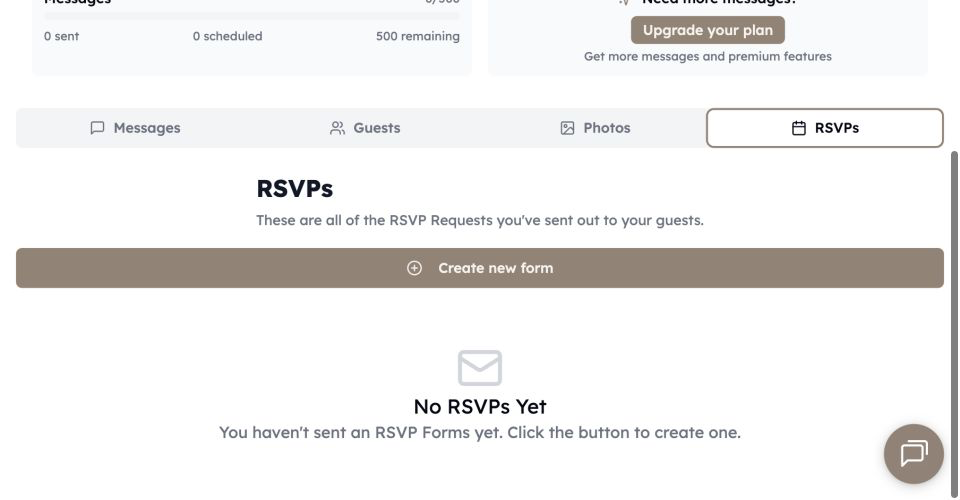
Another advantage of using Text My Wedding is that your guests simply tap their RSVP link instead of sending their RSVP via the mail.
Not only is the cost of postage expensive but you run the risk of the RSVPs not arriving in time or getting lost which could seriously impact your wedding day.
Use an Excel Spreadsheet
Another way to track wedding invite responses is to use a spreadsheet with your guests names.
Then as you get a reply simply put yes or no next to that name. Text My Wedding's Export guests file includes a response column for each RSVP form, so you can keep a spreadsheet without retyping replies. A disadvantage to this option is that you may forget to update the sheet and if you're using paper RSVPs, they may still not arrive in time.
You can also use the spreadsheet to track other information such as the meal preference, and if they are coming with a plus one.
Give Your Guests a Deadline
One of the main things you need to make sure that you do when sending out RSVP is that you provide a deadline on those invites.
Everybody is busy with their own lives and things like this can easily be forgotten, however, by adding a deadline to an invite, it increases the likelihood of people getting back to you within that time.
Additionally, having a deadline will help you when planning the wedding because you need to know the number of people coming in order to arrange other aspects.
Picking the date itself is arithmetic rather than etiquette — it works backwards from the day your caterer needs a final headcount. Work out the exact reply-by date to print with the free wedding RSVP deadline calculator, which dates the whole chain from your wedding date.
- 3–4 weeks before the weddingReply-by dateThe date printed on the invitation.
- Reply-by + 3 daysFirst nudgeA short text to every household still silent.
- Reply-by + ~8 daysFinal noticeName the date your caterer needs a count.
- Reply-by + ~12 daysPhone callCall anyone still missing.
- Reply-by + 2 weeksStop waitingNo answer goes down as a no.
- At least 3 days laterFinal headcountSend the final number to your caterer.
Have a Follow Up Plan
Waiting on replies from your wedding guests? You need a follow up plan.
As I mentioned, it's easy for people to get really busy and not remember to RSVP so having a follow-up plan is essential.
Text My Wedding is great for this because you can send a reminder to only the guests who haven't replied, with their RSVP link already in the message.
Mon, Apr 6 · 10:00 AM
Hi Sam! We'd love to celebrate with you on June 12. Please RSVP for your household by May 1: tmwed.us/s/7Kq2
Mon, May 4 · 6:30 PM
Friendly notice! If you haven't RSVP'd for Alex and Jordan's wedding yet, we'd appreciate it if you could do so by the end of this week. tmwed.us/s/7Kq2
This will save you so much time over sending out another RSVP.
You also need to consider what your cut off date is. This means that anybody who does not RSVP before the deadline will not be able to attend the wedding.
For the dated version of that plan — when to send the first nudge, what the final notice should say, and the day silence becomes a no — read what to do when wedding guests don't RSVP.
Conclusion
That concludes this blog post on how to track RSVPs for your wedding.
Text My Wedding has been consistently used by brides and grooms to create a wedding that goes off without a hitch.
Text My Wedding is particularly important when it comes to RSVPs because it makes the RSVP process so much easier for your guests (and for you!)
All they have to do is tap their RSVP link and let you know whether they can attend.
Also, you can easily follow up with guests if they haven't replied to ensure that you don't overspend.
About the Author
Emily is a wedding writer focused on guest communication, planning logistics, and practical ways to make wedding days run more smoothly. She writes guides and real-world case studies that help couples stay organized and keep guests informed.
Keep reading
How to Collect Addresses for Wedding
Google forms and Text My Wedding are the easiest ways to collect addresses for a wedding in 2026. You can collect your guests' addresses easily by sending the form via text.

Paperless Post vs Greenvelope: What is the Best Online Invitation Service?
Paperless Post, Greenvelope, and Evite are popular online invitation services. But which one is the best for your wedding?
Save the Date Text Messages: Your Ultimate Guide
How to word, time and send a save the date text message, with examples for formal, casual and destination weddings and a plan for follow-up texts.