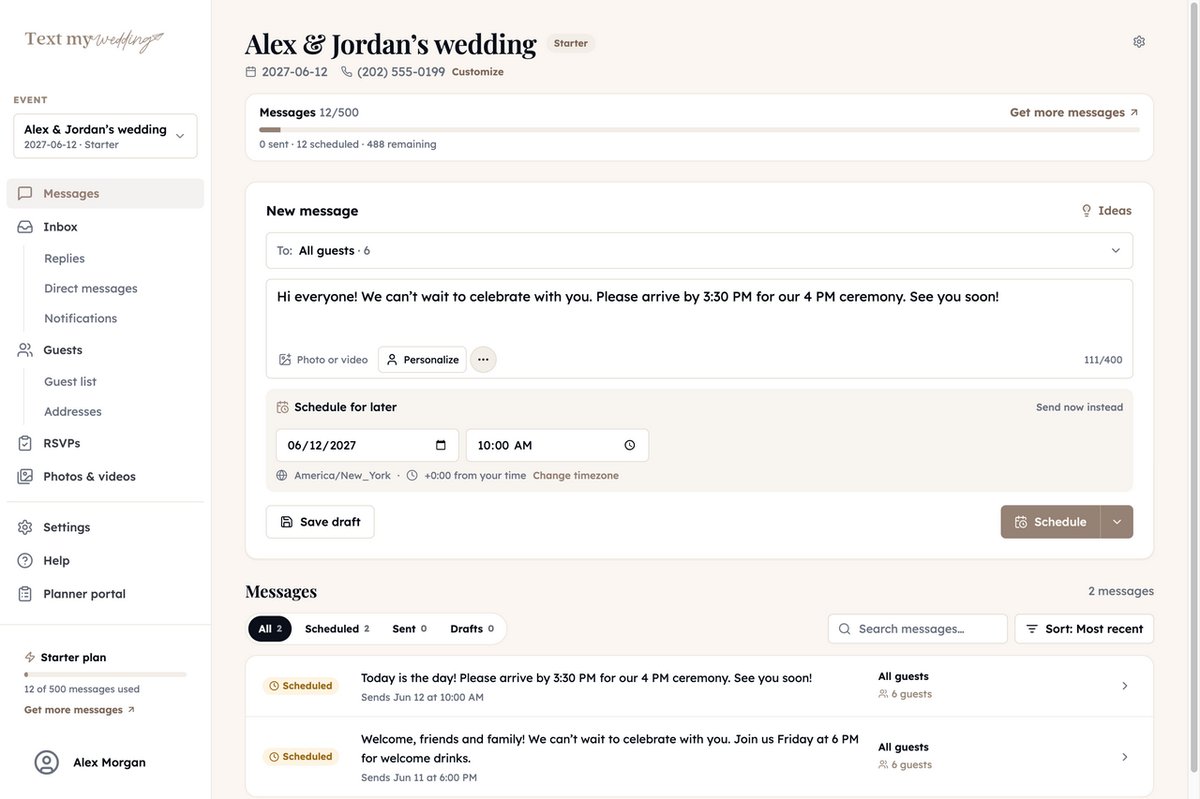
Product demo · 2:42
See how Text My Wedding works
A two-minute walkthrough of the real app: add your guests, text everyone at once, collect addresses and RSVPs, answer replies, and gather every photo in one gallery.
Free to try on your own phone. Plans from $19, one-time.
Everything the demo covers
From the first guest you add to the last photo from the dance floor, step by step.
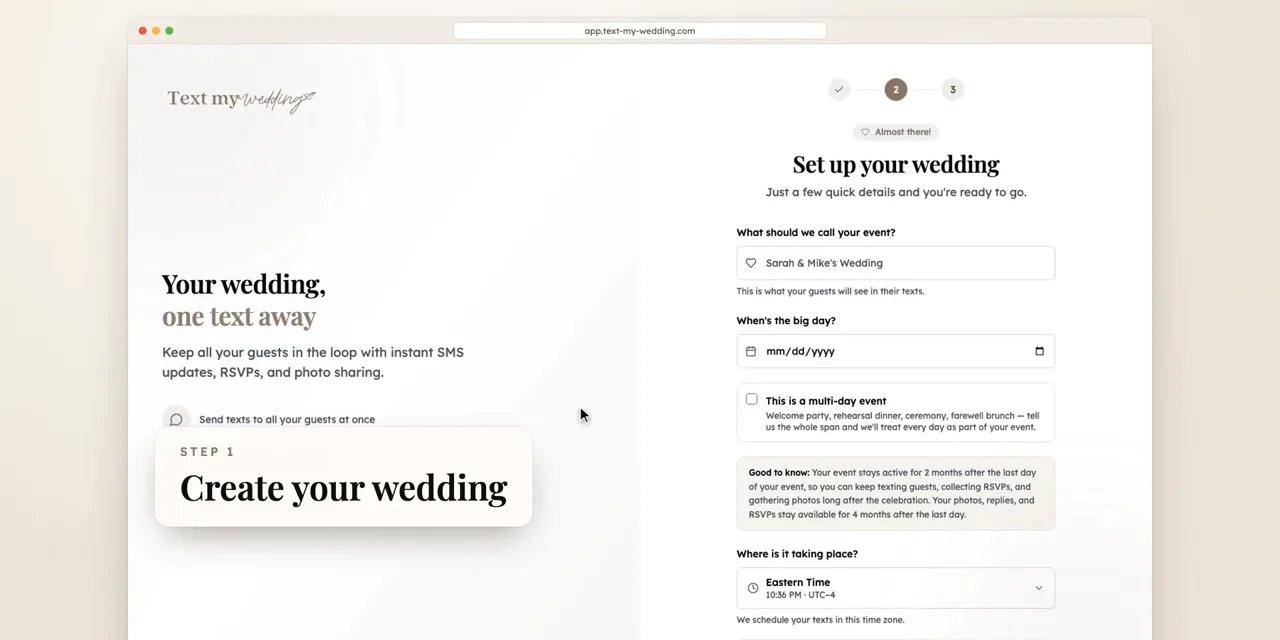
Step 1
Create your wedding
Sign up with your email or phone, add your names and your wedding date, and you're in. There's nothing to install.
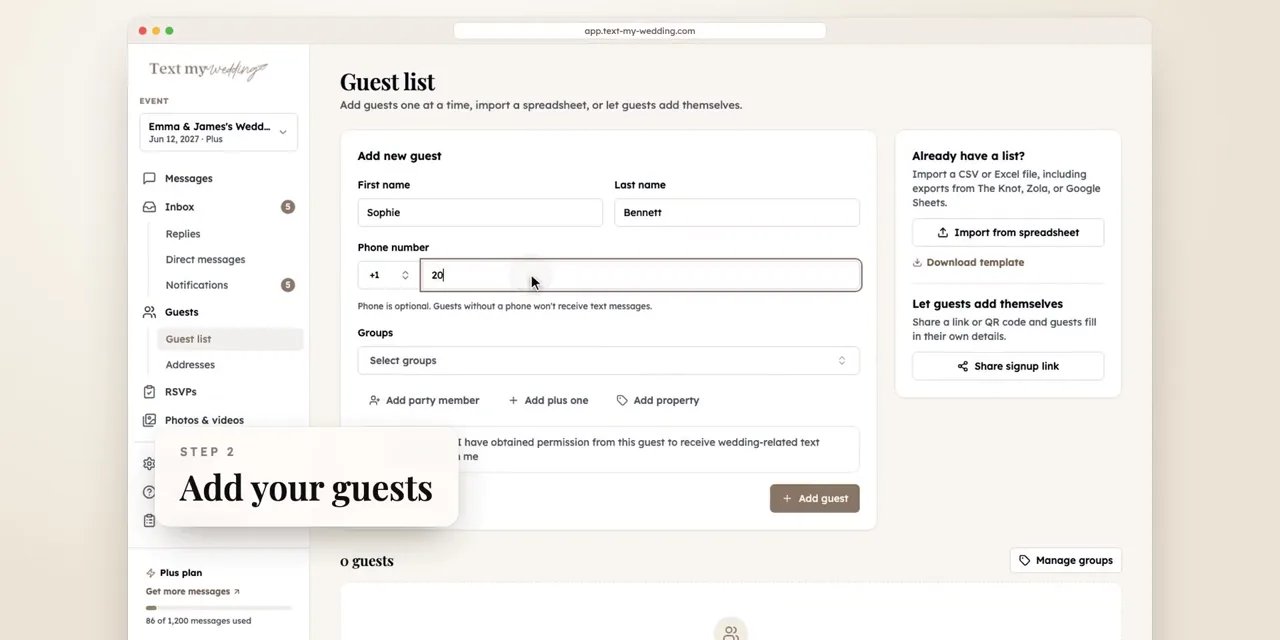
Step 2
Add your guests
Add guests one at a time, or upload the spreadsheet you already have. Your columns are matched for you, and only a name and phone number are required. You can also import from Zola, The Knot, and other wedding websites.
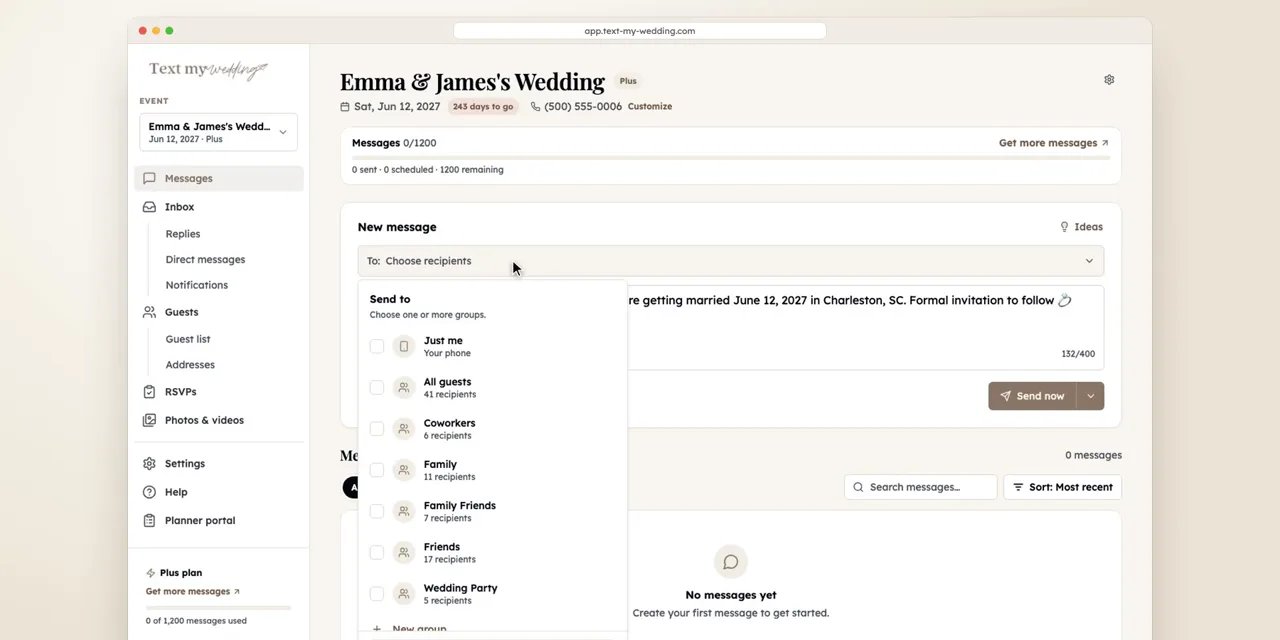
Step 3
Text everyone
Write a message or start from an idea, personalize it with each guest's first name, and send it now or schedule it. Every guest gets their own private text, never a group chat.
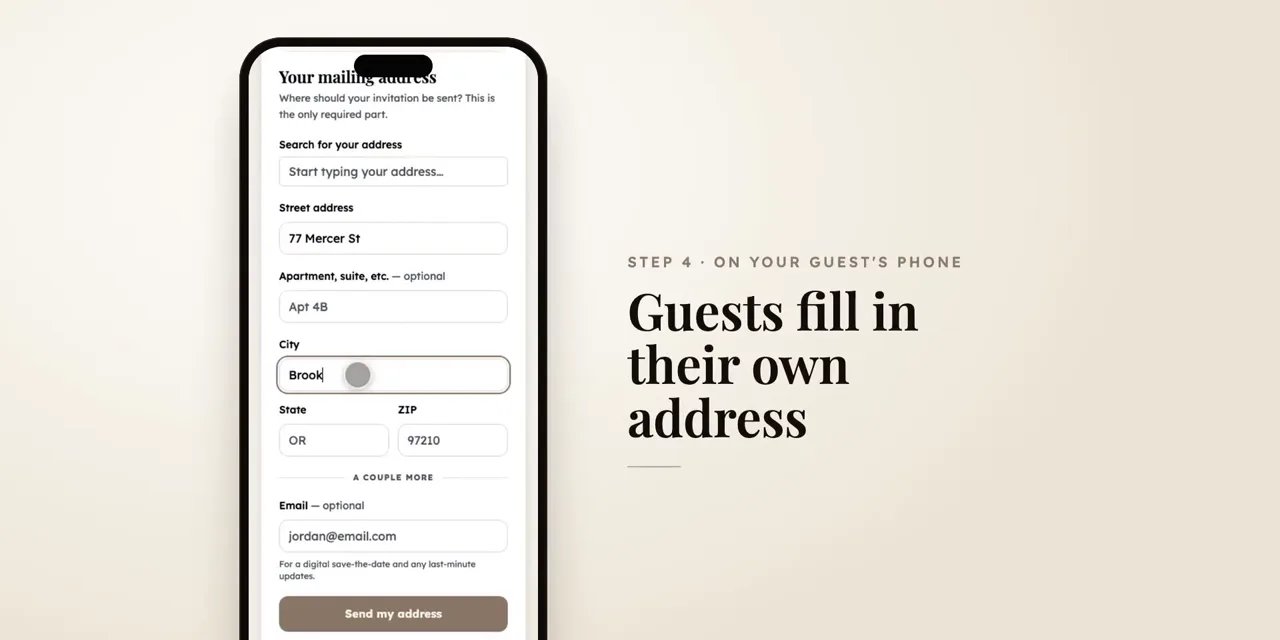
Step 4
Collect mailing addresses
Text each household its own private link. Guests type their address on their phone in seconds, and it saves straight to your guest list.
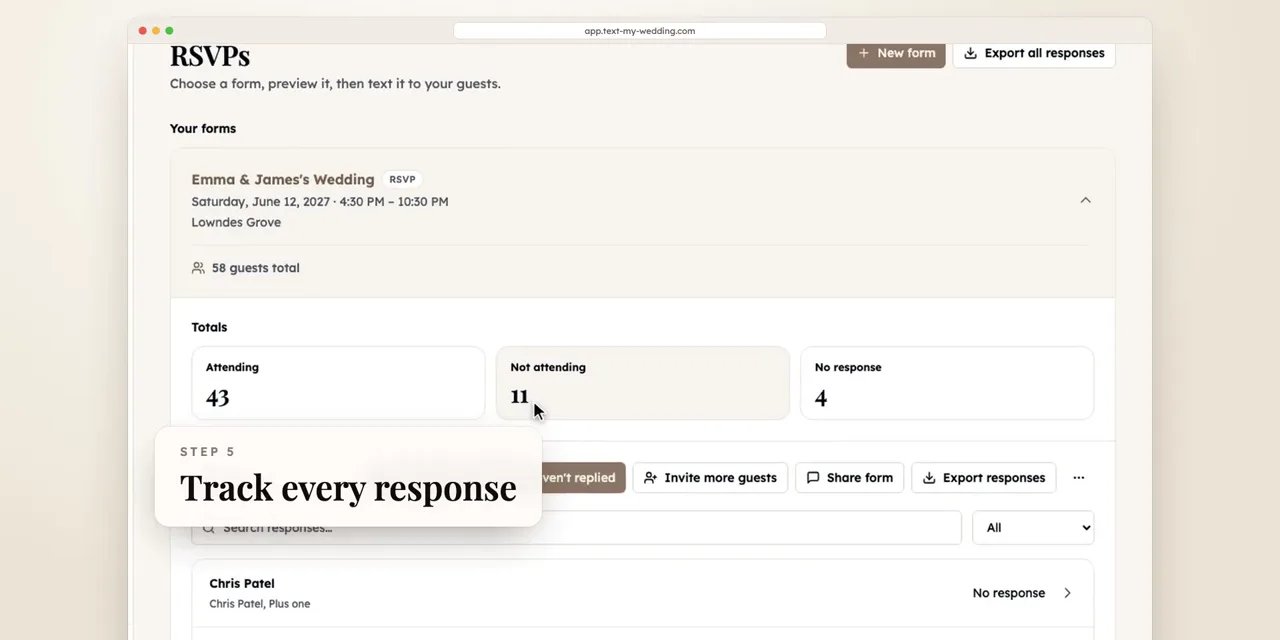
Step 5
Collect RSVPs
Pick a form, add your details, and text every household its own link. Guests answer for their whole party in a few taps, responses come in live, and reminding everyone who hasn't answered takes one click.
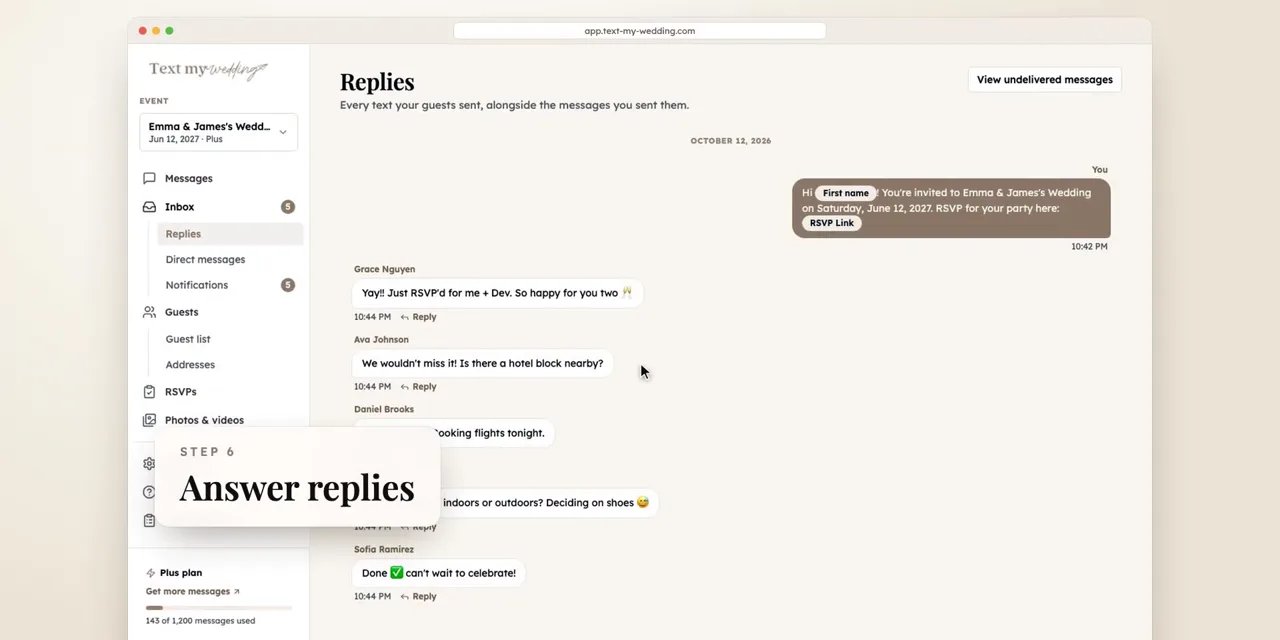
Step 6
Answer replies
When guests text back, every reply lands in one inbox, and you can answer any guest privately.
Replies are included on Plus and above.
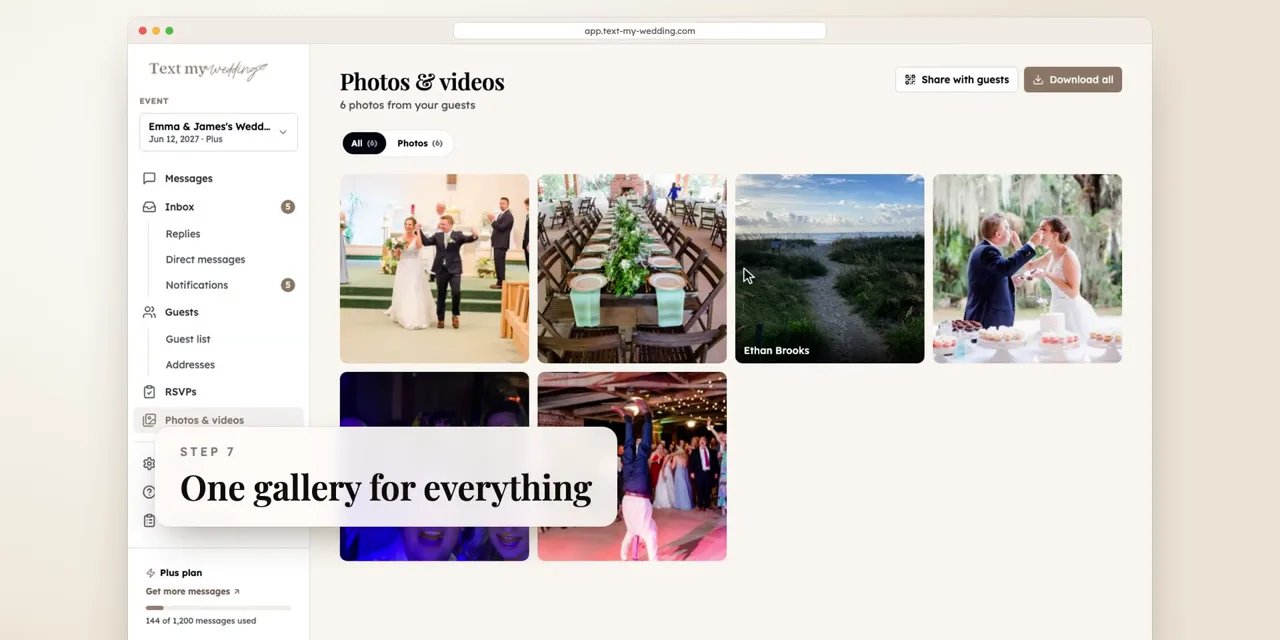
Step 7
Gather photos and videos
Put the QR code on your tables. Guests upload photos and videos straight from their phones, and everything lands in one gallery you can share and download.
Photo uploads start on Starter. Video uploads need Plus.
What your guests see
Guests don't need to learn anything new. It all happens in their regular texts.
Their own private text
Each guest gets a normal text message. Nobody sees anyone else's number, and there's no reply-all thread.
Nothing to download
Links open in the phone's browser. Guests never create an account or install an app.
One link per household
A single RSVP or address link covers the whole party, so couples and families answer together.
What Our Couples Say
Rachel J.
This service was a lifesaver for me and our guests loved it! We had transportation for our guests an...
Julia S.
We used Text My Wedding for our June 2025 wedding with over 100 out of town guests. It was super eas...
Dani S.
I used this service this weekend for my wedding. It was super easy to set up, no hidden fees, custom...
Carol J.
Did not think we would use the app until our wedding day but 3 weeks prior to our day the venue chan...
Sawyer G.
SO helpful! Our wedding was multiple days in different places and text my wedding was so so amazing....
Try it on your own phone first
Set up your wedding for free and send yourself a test text before you pay anything.
- Free to set up and test with your own number
- One-time payment per wedding, from $19
- Upgrade later for only the difference between plans
Questions after watching
Is the demo the real app?
Yes. The video was recorded in the Text My Wedding app with a sample wedding and guest list, so what you see is what you get after you sign up.
Can I try it before paying?
Yes. Create your wedding for free and send test messages to your own phone to see exactly what guests will receive. Upgrade when you're ready to text your guests.
Do guests need to download an app?
No. Guests receive regular text messages, and links open in their phone's browser. They never create an account.
Will guests see each other's numbers?
No. Every guest gets their own private text. Replies come back to you, never to other guests.
Which plan do I need for replies and photos?
Guest photo uploads start on Starter. Guest replies and video uploads are included on Plus and above.
Is it a subscription?
No. Every wedding plan is a one-time payment, starting at $19. If you need more messages later, upgrading only costs the difference between plans.
Ready to dive in?Remove wedding day stress.
Send and schedule messages to your guests. Collect photos and RSVPs. All in one place.
Sign up now