
Text My Wedding + Canva
Text your Canva invitation to every guest, with an RSVP link
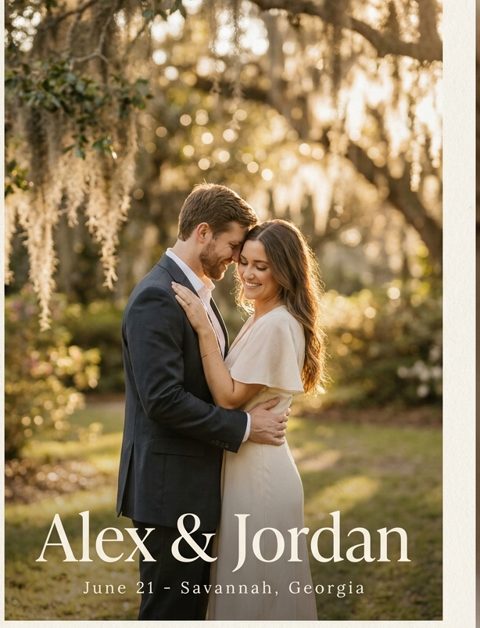
Download your design from Canva and add it to an RSVP form here. Each household gets your invitation as a picture in their texts, plus its own link to answer for everyone in the party.
There's no Canva account connection. You download a PNG or JPG from Canva and upload it here, and your design stays editable in Canva.
How to text a Canva invitation
- Step 1
Download it from Canva
Open your design and download it as a PNG or JPG. A free Canva account is enough. Texts can't carry a PDF or WebP as a picture.
ShareDownloadPNG or JPG
- Step 2
Add your guests
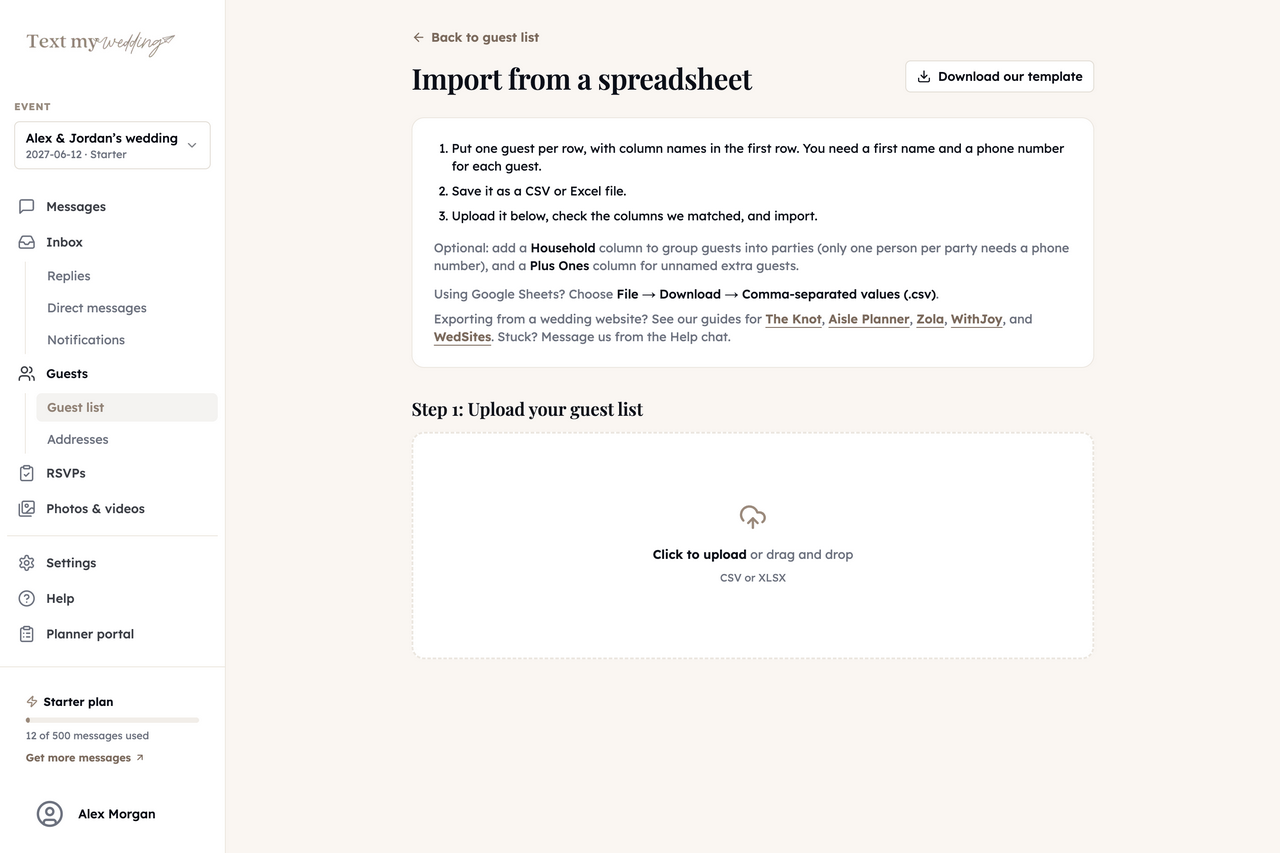
Upload a CSV or Excel guest list, paste one in, or add guests by hand. Put couples and families in one household.
GuestsImport from spreadsheet
- Step 3
Make it the RSVP form's invitation
Create a Wedding RSVP form with your date and venue, and upload your Canva file as its invitation image.
RSVPsWedding RSVP
- Step 4
Text it to guests
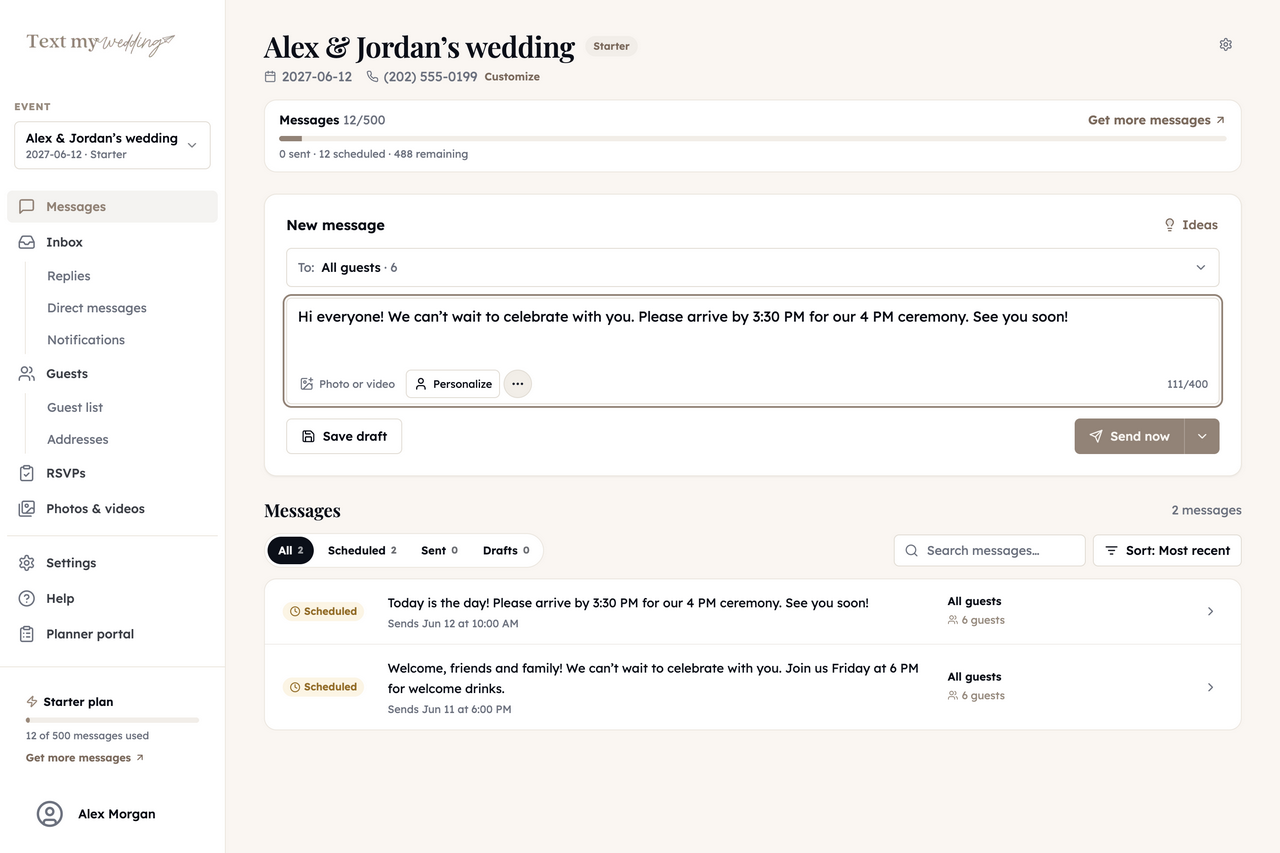
Text it to guests opens a message with your invitation and RSVP link already in it. Send now or schedule it.
Step-by-step instructions are in the RSVP guide.
What your Canva design becomes
Canva makes the design. Here's what each piece turns into once it's in Text My Wedding.
| Canva | Text My Wedding |
|---|---|
| PNG or JPG download | A picture in the text, and the RSVP page's invitation |
| Canva website link | A tmwed.us link that shows who opened it |
| PDF (schedule, menu, details) | An Attachment Page linked from your text |
| Save the date design | A picture text to everyone, or one group |
What stays on Canva
- Your editable design and brand kit
- Your Canva website, if you made one
- Printing, if you're mailing paper too
What you can do once your guests are in
Everything below runs from Text My Wedding, whichever site your guests RSVP on today.
Text everyone, or one group
Send now or schedule for later, with each guest's name filled in. Links shorten to tmwed.us by default, so you can see who opened yours.
Wedding text messagesCollect RSVPs by household
Each household gets its own RSVP link and answers for everyone in it. Remind only the ones who haven't replied.
RSVP remindersFill in missing addresses
Text each household a private link to a short address form. Answers save straight to your guest list, ready to export.
Address collectionFill in missing phone numbers
Turn on the phone field in your shareable address form. Guests type their name and number, and it saves to the matching guest on your list.
Address form settingsAnswer replies in one inbox
Guest replies land in one inbox that everyone on your event can read, and never go to other guests. Plus and up.
Delivery and repliesCollect everyone's photos
After the wedding, text guests a link to your upload page and get every photo in one album. Starter and up.
Photo sharingCanva and Text My Wedding, side by side
Canva makes the design, and Text My Wedding gets it to every guest and counts the answers.
Design the invitation
- YesCanva
- Keep designing there
- PartlyText My Wedding
- Upload yours, or customize an animated card
Guest list with households
- NoCanva
- Not a Canva feature
- YesText My Wedding
- Import, paste or add by hand
Send it to every guest by text
- NoCanva
- You share it yourself
- YesText My Wedding
- To everyone or a group
RSVPs and reminders
- NoCanva
- Not a Canva feature
- YesText My Wedding
- Remind only who hasn't answered
Based on Canva’s publicly documented features. Canva is a trademark of its owner. Text My Wedding is independent and is not affiliated with or endorsed by Canva.
Words to send with your Canva invitation
The design sets the mood. One or two lines underneath tell guests what to do.
Formal
Marcus, you're invited to the wedding of Amelia Hart & Julian Reyes on Saturday, September 11, at The Willow Barn. Kindly reply by August 1:
Warm and short
We're getting married! 🤍 Sept 11 in Hudson, NY. Tap to RSVP for your whole party by Aug 1:
Save the date
Save the date! Amelia & Julian, 09.11, Hudson NY. A formal invitation will follow. For now, just keep the weekend free.
After the mail
Your invitation should be in your mailbox this week! If the reply card wanders off, you can RSVP here instead:
Canva questions couples ask
Can I send a Canva invitation as a text message?
Yes. Download your design from Canva as a PNG or JPG, then attach it to a message or add it to an RSVP form as the invitation image. Guests see the picture in their normal messages app.
Do I need Canva Pro?
No. A free Canva account downloads PNG and JPG files, which is all Text My Wedding needs.
Which file format should I download?
PNG or JPG. Text messages carry JPG, PNG or GIF pictures, but not WebP. A portrait design fills a phone screen best. If you have a PDF of extra details, add it to an Attachment Page and link that instead.
How do guests RSVP to a Canva invitation?
Each household's text includes its own RSVP link. It opens your invitation in their browser, where they mark each person attending or not. No app or account. Your totals update as answers come in.
Can I text my Canva wedding website?
Yes. Paste your my.canva.site link into any message. By default Text My Wedding shortens it to a tmwed.us link and shows you which guests opened it.
Is there an animated version instead?
Yes. Our digital invitations open from an envelope with each guest's name on it. You customize one in your browser, free, and text it with an RSVP link. Browse them on the digital wedding invitations page.
Is this an official Canva integration?
No. Text My Wedding works with the files you download from Canva. Nothing connects to your Canva account.
Still choosing a design?
Other integrations
Your Canva invitation, in every guest's texts
Add your guests, upload your design, and preview the text before anything sends.
Importing guests and writing messages is free. Plans are one-time purchases from $19 for 50 texts.