Wedding RSVP reminders
RSVP reminders guests actually answer
One tap texts every household you're still waiting on. Each gets its own RSVP link, answers for the whole household in seconds, and your headcount updates itself.
- No app for guests
- Households answer together
- Self-updating headcount
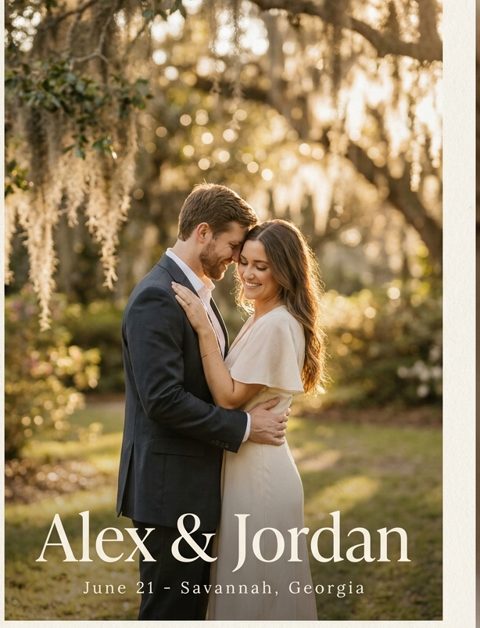 Hi Sam! Friendly reminder to RSVP for our wedding by June 1. Tap your link to answer for your whole household:
How RSVP reminders work
From "who still hasn't replied?" to a final headcount in about a minute.
- Step 1
Open your RSVPs
Your totals show who's attending, who declined, and who hasn't answered yet - counted per guest, grouped by household.
- Step 2
Tap “Remind guests who haven't replied”
The reminder is already written and already aimed at the silent households. Tweak the wording, add your invitation photo, and send.
- Step 3
Watch the count fill in
Each household taps its own link and answers in seconds. Your totals update on their own - no tallying replies by hand.
Your RSVPs
Know exactly who you're waiting on
Every answer saves to one place the moment a guest submits. Tap "No response" and you're looking at the households still missing from your count - and the reminder button already knows how many that is.
- Totals count people, not invitations, so your headcount is the number your caterer needs
- Filter by attending, declined, or no response, or search any guest by name
- Heard back in person? Set anyone's answer yourself
Built for the guests who forget
Every detail aims at one thing: getting the last few answers without a single awkward phone call.
Only the households you're waiting on
Reminders default to guests with no response. Once anyone in a household answers, that household drops off the list.
Their link, already in the text
Every household gets its own RSVP link. If you delete it while editing, you'll be asked before the reminder goes out without one.
See who opened it
An “Opened” badge marks guests who tapped their link but haven't answered, so you know who needs a phone call instead.
A count for every event
Rehearsal dinner, welcome party, farewell brunch - each gets its own RSVP form, its own totals, and its own reminder.
Add your invitation
Attach your invitation or engagement photo so the reminder looks like it came from you, not a vendor.
Export for your caterer
Download every response with names, households, and notes like dietary restrictions, ready for the caterer or planner.
What guests see
Ten seconds from text to RSVP
The easier it is to answer, the fewer reminders you send. Guests tap their link and land on your invitation with their household already filled in.
- No app, no account, no password - the link opens in their browser
- One answer covers the whole household, plus ones included
- A notes box for dietary restrictions or anything else you should know
- Plans changed? They reopen the same link and update their answer
When to send RSVP reminders
Three well-timed texts beat a dozen anxious ones. Here's the rhythm that works, with wording you can send as-is - your guest's link is added to every one.
- 1
A week before the deadline
The friendly nudge
Hi Sam! Friendly reminder to RSVP for Alex & Jordan's wedding by June 1. Tap your link to answer for your whole household:tmwed.us/k7Rq2 - 2
Two days before the deadline
The last call
Quick one, Sam - RSVPs for our wedding are due Saturday and we'd hate to miss you. It takes about ten seconds:tmwed.us/k7Rq2 - 3
The day after the deadline
The headcount check
We're sending our final count to the caterer this week. Can you let us know if you'll make it?tmwed.us/k7Rq2
Not sure what your reply-by date should be? The RSVP deadline calculator works out every date for you.
Want more wording? See 25+ RSVP reminder texts, or what to do when guests still don't RSVP.
What Our Couples Say
Rachel J.
This service was a lifesaver for me and our guests loved it! We had transportation for our guests an...
Julia S.
We used Text My Wedding for our June 2025 wedding with over 100 out of town guests. It was super eas...
Dani S.
I used this service this weekend for my wedding. It was super easy to set up, no hidden fees, custom...
Carol J.
Did not think we would use the app until our wedding day but 3 weeks prior to our day the venue chan...
Sawyer G.
SO helpful! Our wedding was multiple days in different places and text my wedding was so so amazing....
Stop chasing RSVPs one call at a time
Add your guests, send one reminder, and watch the responses roll in.
Frequently asked questions
Do guests need to download an app?
No. Guests get a normal text with their own RSVP link. It opens in their browser, they tap their answer, and they're done - no account or password.
Can I remind only the guests who haven't responded?
Yes. Reminders default to the guests with no response, and the button tells you exactly how many will get it. You can also text everyone, only the guests attending, or only those who declined.
How does it handle couples and families?
Guests are grouped into households, and each household shares one RSVP link. Whoever opens it answers for everyone in the household, plus ones included. Once anyone in a household responds, that household stops getting reminders.
Can guests just reply “yes” to the text?
Their link is the RSVP: one tap records the answer for each person in their household, which keeps your headcount exact. If someone texts back instead, you can set their response yourself in a couple of clicks.
Can guests change their RSVP?
Yes. Opening the same link again lets them update their answer, and your totals update with it.
When should I send RSVP reminders?
Send the first reminder about a week before your reply-by date, a short last call a day or two before it, and one final check right after it passes. Our RSVP deadline calculator works out the dates for your wedding.
Do texts reach international guests?
Texts go to US and Canadian (+1) numbers. Guests without one can still RSVP through your form's shareable link, where they look themselves up by name.
How much does it cost?
Each reminder uses one message per guest from your plan. Plans are one-time purchases starting at $19 for 50 messages, and every account starts free.
Printing the reply-by date on a card instead? See our RSVP card wording examples.
Ready to dive in?Remove wedding day stress.
Send and schedule messages to your guests. Collect photos and RSVPs. All in one place.
Sign up now