Wedding photos by text
One text gets every guest's wedding photos
Text every guest the link to your upload page the morning after. They tap it, pick photos from their camera roll, and the originals land in one gallery you can share and play as a slideshow.
- No app for guests
- Full-quality originals
- One album for everyone
 Thank you for celebrating with us, Priya! We'd love to see last night through your eyes. Add your photos here:
How it's sent
Ask 142 guests for their photos in one message
Your upload link goes out like any other text from your wedding's number: one private message to each guest, with their name in it.
- 1
Copy your upload link
On your Photos & videos page, choose Share with guests. The Upload link tab has the link and a QR code for the same page.
- 2
Paste it into one message
Send it to all guests or one group. Personalize adds each guest's first name, and you can attach a favorite photo from the day.
- 3
Send now or schedule it
Write the morning-after text the week before and pick when it goes out. Send it to “Just me” first to tap the link yourself.
What guests see
Tap the link, pick photos, done
The easier it is to share, the more photos you get. Guests tap the link in your text and land on your upload page, designed with your names, colors, and cover photo.
- The link opens your upload page in their phone's browser. No app, no account, no password.
- They add their name, so you know who shared what, and an optional note for you.
- They pick as many photos as they like from their camera roll, iPhone HEIC photos included, and each one arrives as the original file.
- Each upload shows its progress. If one fails, they tap to retry it.
- When they're done, a button takes them to the gallery to see everyone else's photos.
Where the photos go
One gallery, playing live on the big screen
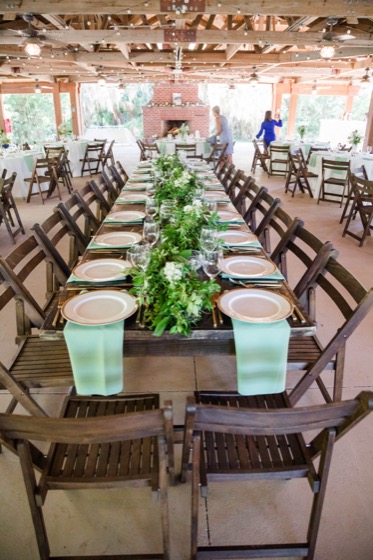
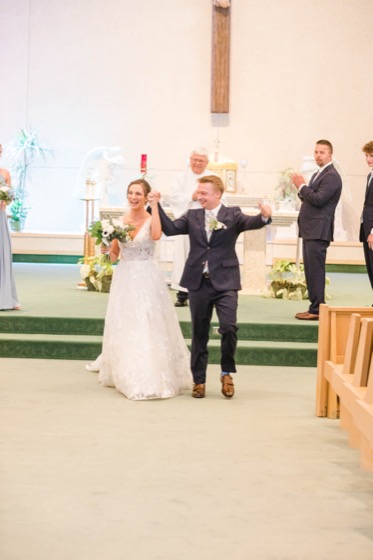
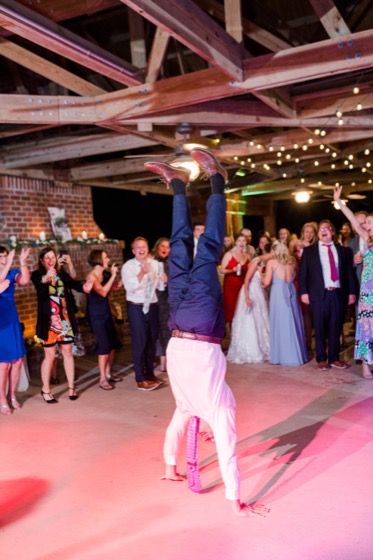
Every photo guests share goes into the same gallery. Open the slideshow on the reception screen and photos appear as guests share them.
- Photos show up on your Photos & videos page and in the guest gallery as soon as they finish uploading, and videos once they finish processing
- The Slideshow button opens the gallery full screen in a new tab, ready for the venue's TV or projector
- The slideshow checks for new photos every 30 seconds and plays the newest one next
- Hide anything from the gallery, or turn on review and approve each upload first
The upload page designer, video uploads, privacy controls, and downloads are all covered on our wedding photo sharing page.
When to text the link
Ask during the reception, again the morning after, and once more a week later, then share the gallery. Use Personalize for each guest's name and paste your own upload or gallery link at the end.
- 1
Wedding day, as the reception starts
The night-of nudge
Hi Priya! Taking photos tonight? Add them to our wedding album as you go, no app needed:tmwed.us/lm8k/upload - 2
The morning after
The big ask
Thank you for celebrating with us, Priya! We'd love to see last night through your eyes. Add your photos here:tmwed.us/lm8k/upload - 3
About a week later
The follow-up
Hi Priya! Still have wedding photos on your phone or camera? There's still time to add them to our album:tmwed.us/lm8k/upload - 4
When the album fills up
The gallery share
Hi Priya! Everyone's photos from our wedding are in one place now. See them all and save your favorites:tmwed.us/lm8k/photos
Sending a thank-you the same morning? Our thank you texts page has wording that pairs with the photo ask.
Tips for texting the photo link
A few habits that bring in more photos without nagging anyone.
- The morning-after text is the one to schedule ahead. It goes out while you sleep in, when guests are scrolling through last night's photos anyway.
- Print the upload page's QR code on table cards too. The QR code and the texted link open the same page, so every photo lands in one album.
- Attach one favorite photo from the day. It shows right in the text, above the link.
- Make a Wedding party group and a Family group if you want to ask them separately, or thank them for something specific.
- Texts reach US and Canadian numbers. Email the link to guests with a number from another country.
- You can text guests until two months after your wedding date, and photos stay in your account for four months after it. Use Download all before then.
Which plan you need
Every plan is a one-time payment for your wedding. Upgrade later and you only pay the difference.
Lite
$19
50 messages
- Text a photo from the day
- Text your photographer's gallery link
Starter
$57
500 messages
- Guest upload page, link and QR code
- Full-quality photo uploads
- Shareable gallery and live slideshow
- Download all as zip files
Plus
$87
1,200 messages
- Everything in Starter
- Video uploads up to 20 minutes
- Photos guests text back to you
- Guest replies in your inbox
Premium and Ultra include everything in Plus with more messages. Compare all plans
What Our Couples Say
Rachel J.
This service was a lifesaver for me and our guests loved it! We had transportation for our guests an...
Julia S.
We used Text My Wedding for our June 2025 wedding with over 100 out of town guests. It was super eas...
Dani S.
I used this service this weekend for my wedding. It was super easy to set up, no hidden fees, custom...
Carol J.
Did not think we would use the app until our wedding day but 3 weeks prior to our day the venue chan...
Sawyer G.
SO helpful! Our wedding was multiple days in different places and text my wedding was so so amazing....
See the wedding through every guest's eyes
Create your wedding for free, design your upload page, and send a test text to your own phone.
Frequently asked questions
Do guests need to download an app?
No. Guests get a normal text with your upload link. It opens your upload page in their phone's browser, with no account or password, and they pick photos straight from their camera roll.
What's the difference between the upload link and the gallery link?
The upload link opens the page where guests add their photos. The gallery link opens the album where everyone can see them. You'll find both under Share with guests on your Photos & videos page, each with its own QR code.
Can guests just text their photos back?
On Plus and up, yes. Photos guests reply with show up on your Photos & videos page. Phone carriers compress texted photos, so the upload link is the way to get the original files.
Can guests upload videos?
On Plus ($87) and up, guests can upload videos up to 20 minutes long. On Starter, the upload page takes photos.
Can I text guests my photographer's gallery?
Yes, on any paid plan. Paste your photographer's gallery link into a message, attach a favorite photo, and send it to everyone or to one group.
How does the live slideshow work?
Choose Slideshow on your Photos & videos page and it opens full screen in a new tab, so you can put it on the venue's screen. It checks for new photos every 30 seconds and plays the newest one next. The slideshow shows photos; videos stay in the gallery.
How long can I keep asking for photos?
You can text guests until two months after your wedding date. Photos stay in your account for four months after the wedding, and Download all emails you every photo and video in zip files.
How much does it cost?
Each text to each guest uses one message from your plan. The upload page, gallery, and slideshow start with Starter at $57 for 500 messages. Every plan is a one-time payment, and upgrading later only costs the difference.
Ready to dive in?Remove wedding day stress.
Send and schedule messages to your guests. Collect photos and RSVPs. All in one place.
Sign up now