
Text My Wedding + any wedding website
Text your wedding website to every guest, whoever built it
Paste your wedding website link into a text and send it to everyone, or one group. Text My Wedding shortens the link so you can see which guests opened it, and an RSVP form here lets you remind only the households that haven't answered.
Nothing connects to your website. You paste its link into a message, and bring your guest list from any CSV or Excel file.
How to send your wedding website by text
- Step 1
Bring in your guest list
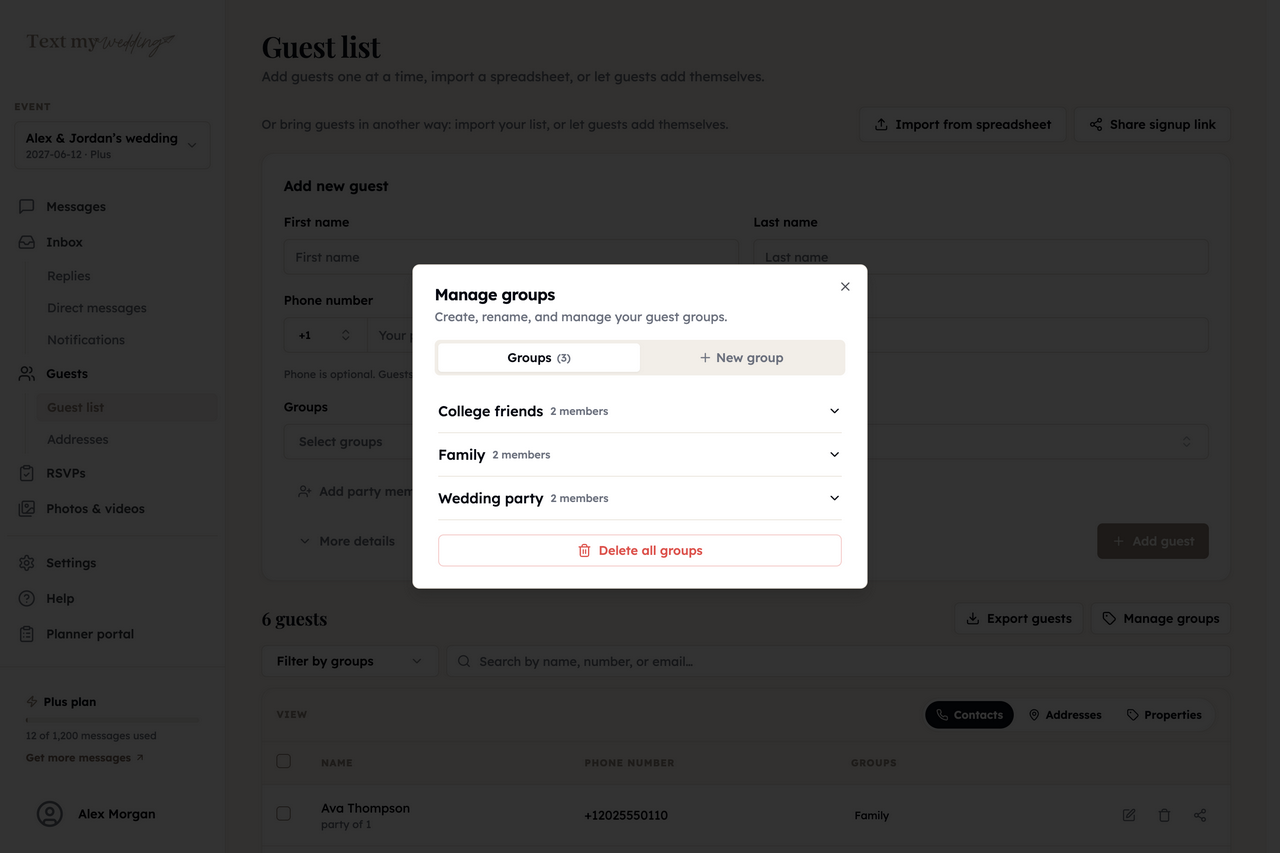
Upload a CSV or Excel file from your website's guest list or any spreadsheet, paste names in, or add guests by hand.
GuestsImport from spreadsheet
- Step 2
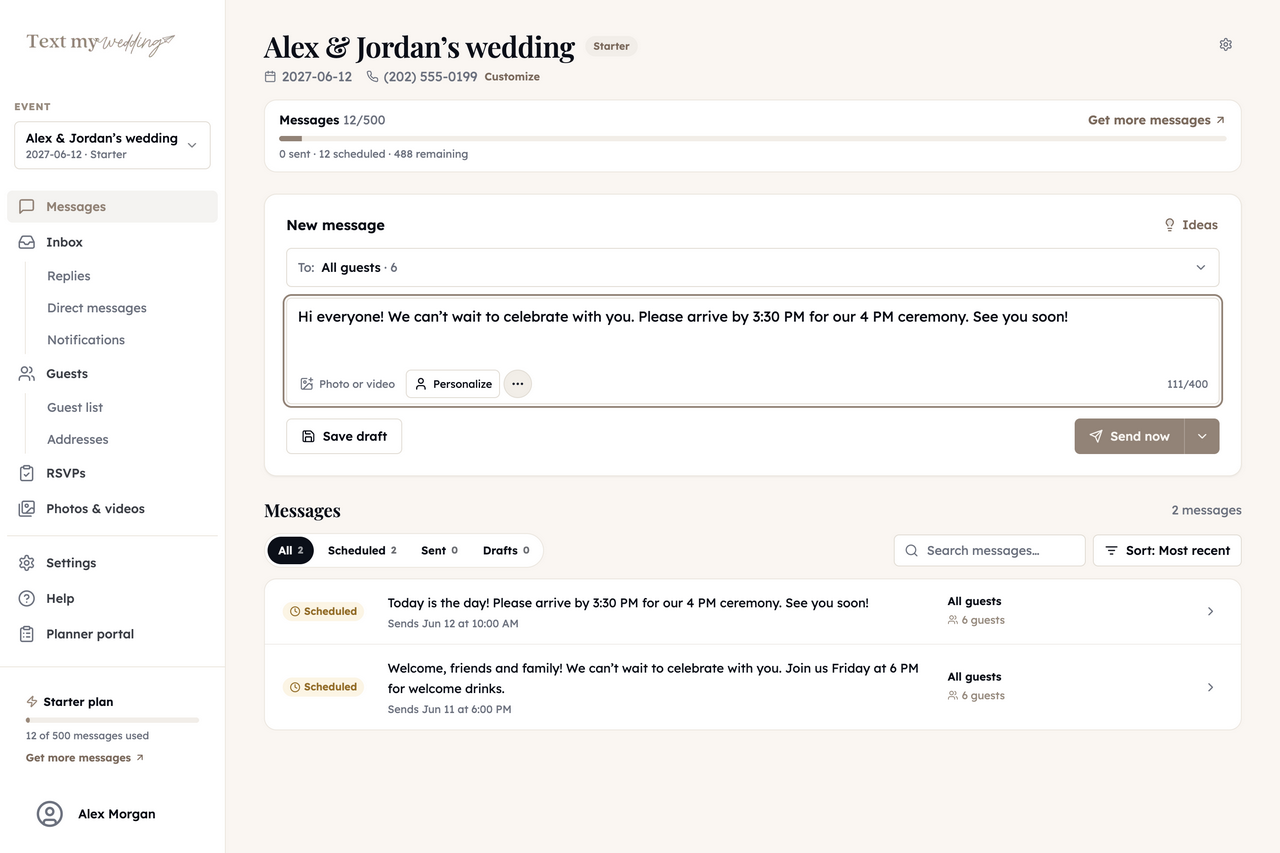
Paste your website link
Write the announcement and paste the link to your site. By default it becomes a tmwed.us link that records which guests opened it.
MessagesNew message
- Step 3
Send it now or schedule it
Send to all guests or one group, and personalize each text with the guest's first name. Send yourself a test first.
- Step 4
Follow up where it matters
Check who opened it, then text RSVP links or an address form only to the households you're still waiting on.
Step-by-step instructions are in the group message guide.
What your website link becomes
Your site stays exactly where it is. Here's what happens to the link and your list once they're in Text My Wedding.
| Your website | Text My Wedding |
|---|---|
| Your website address | A tmwed.us link that shows who opened it |
| Your guest list spreadsheet | Guests, households and groups |
| RSVP page on your site | Keep it, or text a household RSVP link instead |
| Registry, schedule, travel | Stay on your site, one tap from the text |
What stays on your website
- Your website, its design and domain
- Your registry and any RSVPs collected there
- Your photos, story and FAQ pages
What you can do once your guests are in
Everything below runs from Text My Wedding, whichever site your guests RSVP on today.
Text everyone, or one group
Send now or schedule for later, with each guest's name filled in. Links shorten to tmwed.us by default, so you can see who opened yours.
Wedding text messagesCollect RSVPs by household
Each household gets its own RSVP link and answers for everyone in it. Remind only the ones who haven't replied.
RSVP remindersFill in missing addresses
Text each household a private link to a short address form. Answers save straight to your guest list, ready to export.
Address collectionFill in missing phone numbers
Turn on the phone field in your shareable address form. Guests type their name and number, and it saves to the matching guest on your list.
Address form settingsAnswer replies in one inbox
Guest replies land in one inbox that everyone on your event can read, and never go to other guests. Plus and up.
Delivery and repliesCollect everyone's photos
After the wedding, text guests a link to your upload page and get every photo in one album. Starter and up.
Photo sharingWebsite messaging vs. texting with Text My Wedding
Most wedding website builders can email guests, and some can text. Here's what Text My Wedding adds when texting is the main channel.
Wedding website and registry
- YesTypical wedding website
- Keep using it
- NoText My Wedding
- Link to yours in any text
Texts to everyone or one group
- PartlyTypical wedding website
- Varies, often a paid add-on
- YesText My Wedding
- Now or scheduled
See which guests opened your link
- NoTypical wedding website
- Rarely offered
- YesText My Wedding
- Per guest, on tmwed.us links
Guest replies in a shared inbox
- NoTypical wedding website
- Rarely offered
- YesText My Wedding
- Plus and up
Wedding website announcement texts
Say what's on the site and what you need from guests. Swap in your names, dates and link.
Launch
Hi Ruth! Our wedding website is up, with the schedule, hotel block and RSVP. Please reply by Aug 1: ameliaandjulian.com
New on the site
We just added travel tips and the weekend schedule to our website. Rooms at the Hudson Inn are held until July 15.
Out-of-town guests
Flying in? Our website has airport, shuttle and hotel details under Travel. Book by July 15 for the group rate.
Wedding week
One week to go! The final schedule, parking and the rain plan are on our website. See you Saturday!
Questions couples ask
Which wedding websites does this work with?
Any of them. A wedding website link from The Knot, Zola, Joy, Minted, Canva, Squarespace or your own domain goes into a text the same way.
Can I see who opened my wedding website?
Yes. By default, links you paste are shortened to tmwed.us, and Text My Wedding records confirmed opens per guest. Some phones don't report activity, so no open doesn't always mean unread.
Do I need to move my guest list?
You need your guests' names and mobile numbers in Text My Wedding. Most website builders export a CSV or Excel file you can import, or you can paste names in or add them by hand.
What if I don't have everyone's phone number?
Give every row a household value and guests without phones still import, so they count in RSVPs. Then turn on the phone field in your shareable address form so guests can add their own number. For people not on your list yet, share your signup link or QR code.
Can guests reply to the text?
Yes. Replies go to your inbox, never to other guests. Reading them in the shared Replies inbox needs a Plus plan or higher.
Other integrations
Your website is finished. Make sure everyone sees it.
Bring your guest list, paste your link, and preview the text before anything sends.
Importing guests and writing messages is free. Plans are one-time purchases from $19 for 50 texts.