
Compose the message
- Open the event dashboard and choose Messages.
- Write the text.
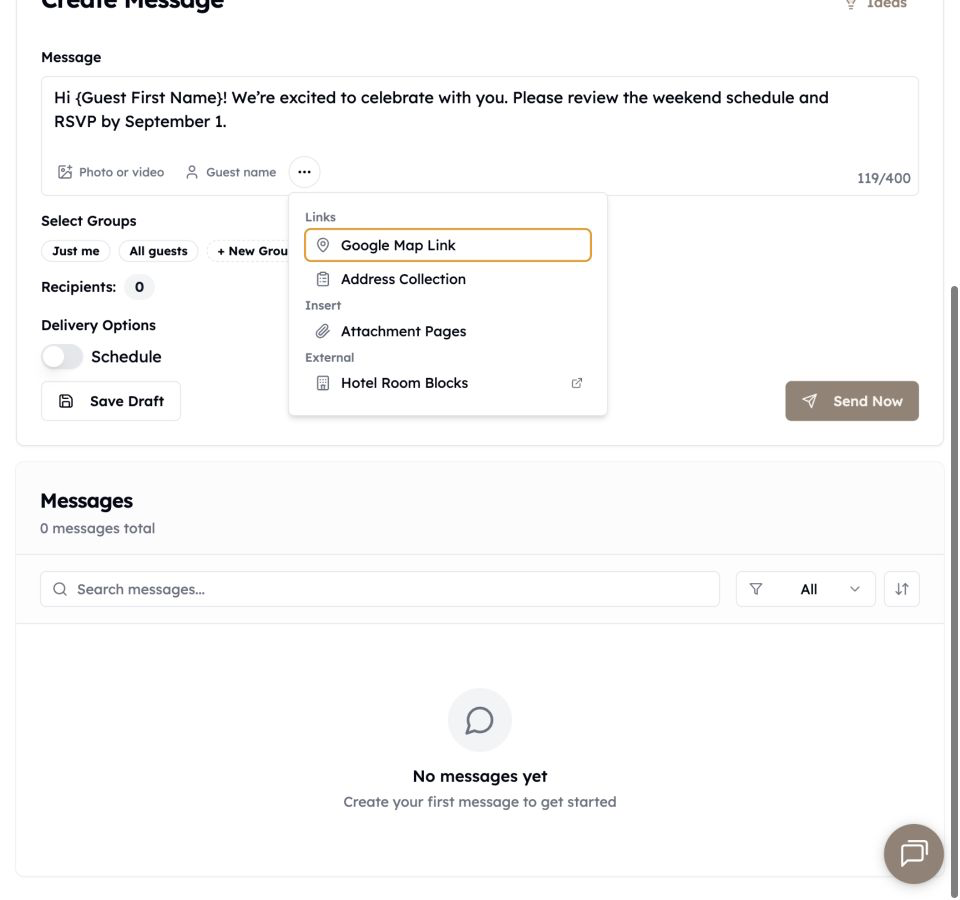
- Use Guest name to insert a first-name or last-name token when needed.
- Choose one or more recipient groups.
Guests in overlapping selected groups receive one copy. The confirmation shows the final eligible recipient count.
Add optional content
- Choose Photo or video for one media attachment.
- Open More message tools for a map, event signup link, Attachment Page, or available invitation card.
- Paste a normal destination URL; Text My Wedding shortens supported links to
tmwed.usfor delivery and tracking.
Send a test first
Create a group containing only you and send to that group. Check personalization, links, media, sender number, and the opt-out footer on your phone.
Send now
Select the final groups, choose the immediate-send option, and review the confirmation before choosing Send now. After sending, open the recipient count to review delivery for each guest.
Schedule for later
Choose the scheduled-send option and select a future date and time. The composer shows the event timezone. Change it under Settings → Event Details before scheduling; changing it later does not move messages already queued.
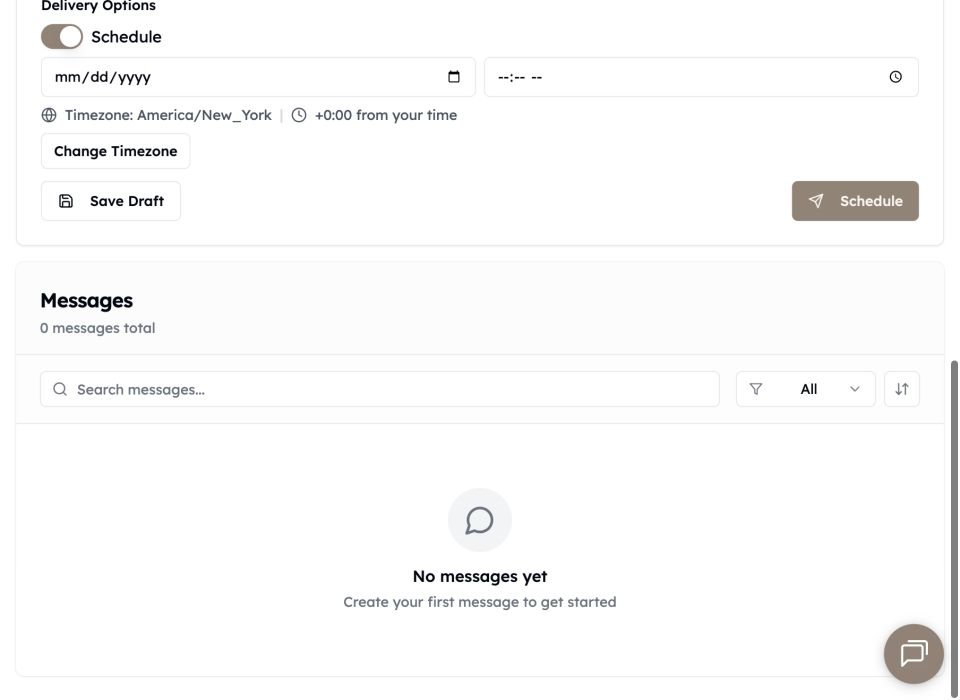
Filter the message list to Scheduled or Drafts to find and edit pending work. Scheduled recipient deliveries reserve plan capacity immediately.