Text My Wedding
PricingVideo Demo
Sign In/Up
Home/Thank you card templates/Modern/Vendor Card
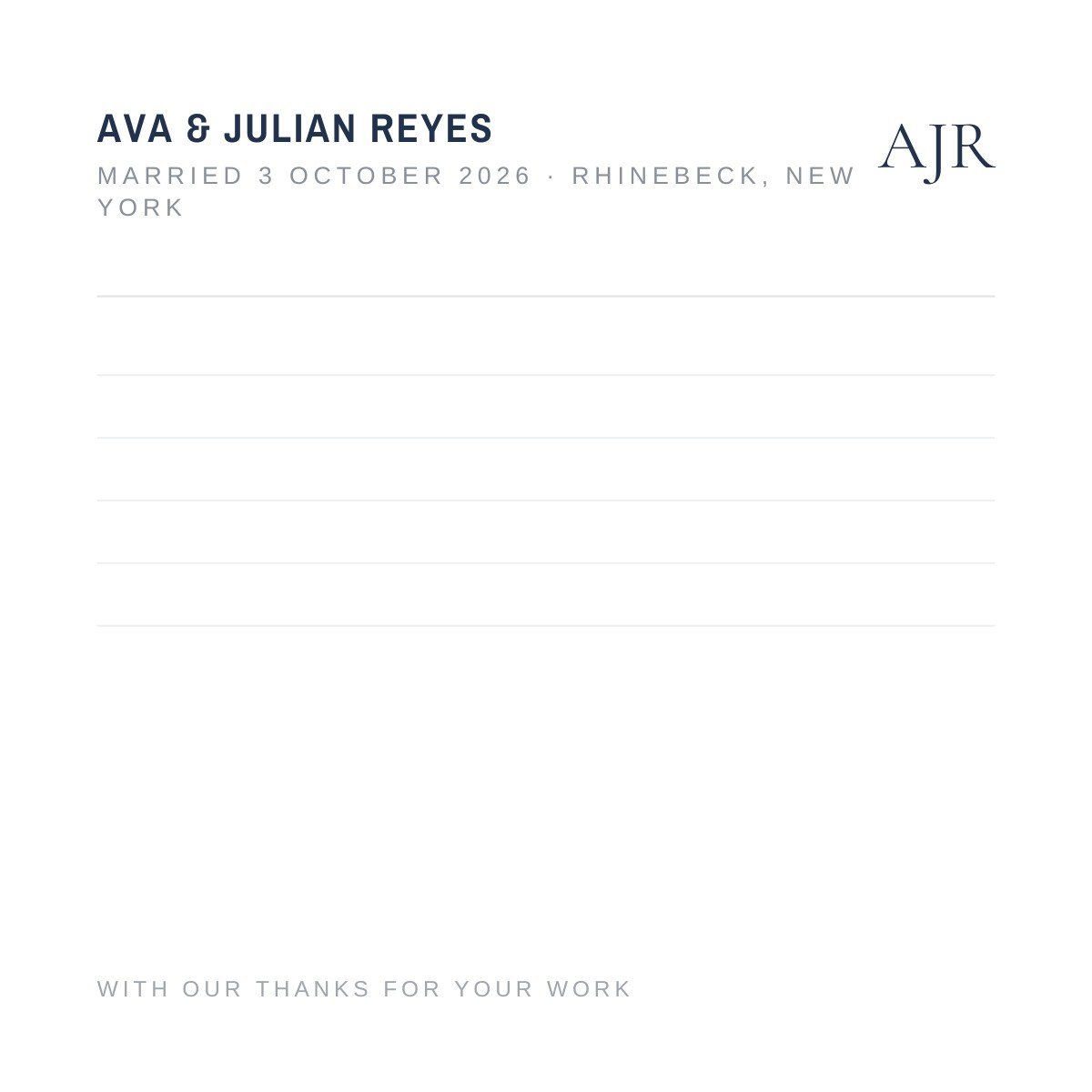
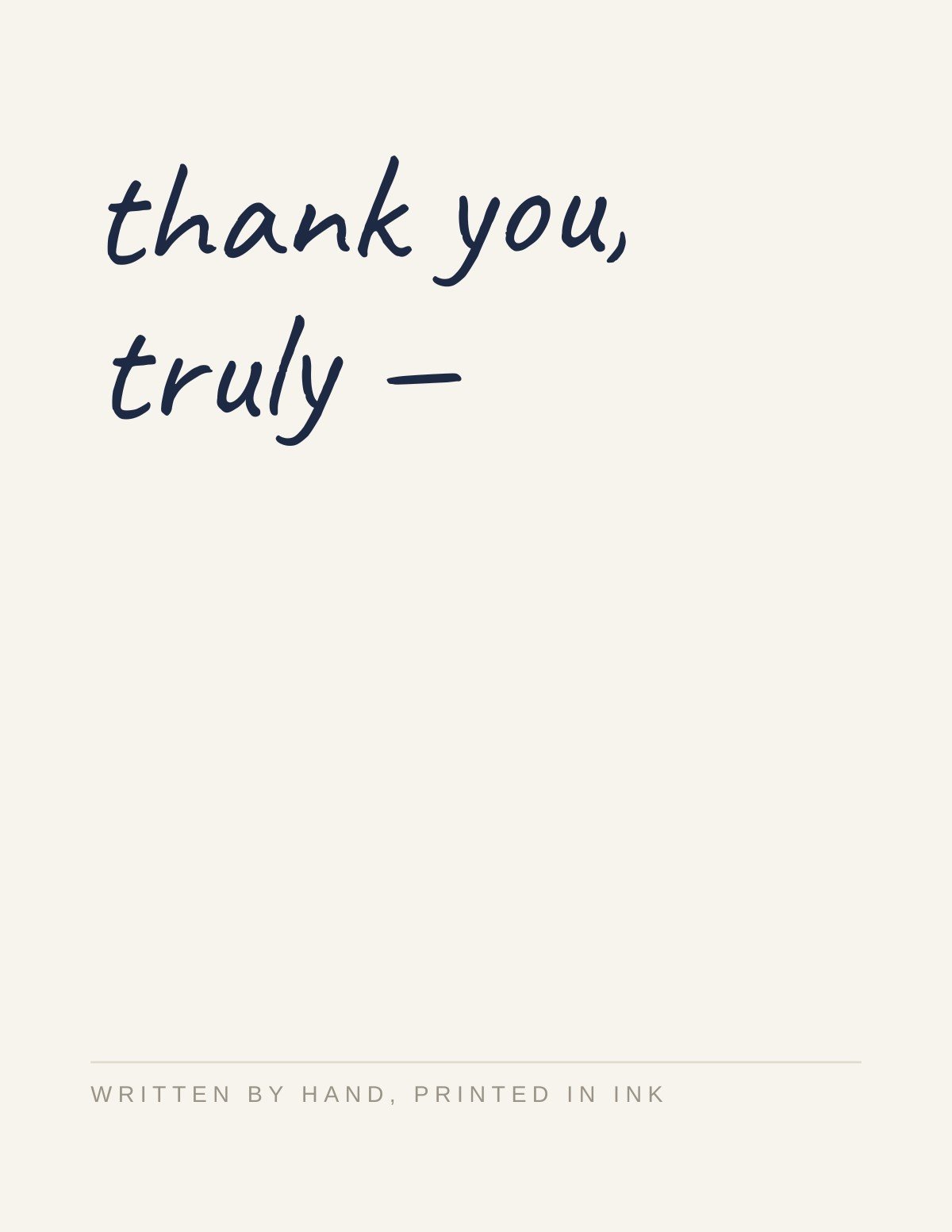
Vendor Card wedding thank you card template — full design preview
FreeCanva Free

Vendor Card Wedding Thank You Card

Cleaner and squarer than the rest: no illustration, a ruled letterhead block, and room for a business-appropriate note. For vendors and the wedding party, who should not get the confetti card.

1 Customize your card

Customize it in Canva

Open this template in Canva to edit the names, monogram and front wording.

Customize in Canva
  • Free Canva account required — no Canva Pro elements
  • Opens in a new tab, so this page stays where it is
  • Every text box, color and font is editable
2 Get the addresses

Collect addresses with Text My Wedding

A hundred cards need a hundred current addresses. Text your guests for theirs and collect every reply in one list you can export for the envelopes.

Collect Addresses by Text
  • People answer a text far faster than an email
  • Replies land in one list, grouped by household
  • Export it for labels or a calligrapher
Free to use. No Text My Wedding account needed to customize the design.
Print-ready PDF export from Canva — a home printer handles this design.
Opens as a copy in your own Canva account — the original stays untouched.
Specifications

What you’re getting

Editing platform
Canva
Canva account
Free account required
Canva Pro
Not required
Size
5 × 5 inches, square
Card type
Flat single-ply card
Inside
Message goes on the reverse
Editable text
Yes
Editable colors
Yes
Editable fonts
Yes
Photo support
No photo frame in this design
Print at home
Yes — export as PDF
Download formats
PDF, PNG and JPG
Editable elements

What you can change

  • Names
  • Monogram or married surname
  • Front wording
  • Fonts
  • Color palette
  • Photo
  • Multiple photos
  • Ruled lines inside

Canva is a trademark of Canva Pty Ltd. Text My Wedding is not affiliated with or endorsed by Canva.

Step one

How customizing works

  1. Open in Canva. The template loads as a copy in your own Canva account — the original stays untouched, so you can start again at any point.
  2. Set the monogram. This is usually the first mailing to go out under a married surname, so it is worth getting the initials right before you print a hundred.
  3. Swap the palette. Colors are applied as document colors: change one and every element that uses it follows.
  4. Print a proof first. Home printers crop more than you expect, and the margin is where these designs do their work.
Step two

How the addresses work

  1. Create your event. Names and the date — about a minute.
  2. Add your guests. Import a spreadsheet or paste numbers; households stay grouped, so couples get one card rather than two.
  3. Text them for an address. Guests reply on their phone and the answers land in one list.
  4. Export for the envelopes. Take the finished list to labels, a calligrapher or a printer.
Next step

You have the card. Do you have the addresses?

Eighty to two hundred cards need eighty to two hundred current addresses, and half your guests have moved since the wedding. Ask them by text and collect every reply in one list.

Collect Guest AddressesSee how it works
Similar

You might also like

Designs that share this template’s style, palette or card type.
All modern templates
Canva Free
Venue Line — minimalist black and white wedding thank you card template, editable in Canva
Minimalist · Black and whiteVenue LineEditable in CanvaView template →
Textable
Facsimile — whimsical neutral wedding thank you card template, editable in Canva
Whimsical · NeutralFacsimileEditable in CanvaView template →
Canva Free
Rubber Stamp — rustic brown wedding thank you card template, editable in Canva
Rustic · BrownRubber StampEditable in CanvaView template →
Canva Free
Vintner's Label — rustic burgundy wedding thank you card template, editable in Canva
Rustic · BurgundyVintner's LabelEditable in CanvaView template →
Canva Free
Barn Plank — rustic brown wedding thank you card template, editable in Canva
Rustic · BrownBarn PlankEditable in CanvaView template →
More like this:
FlatPrintableModernMinimalistNeutral

Got the card and stuck on the words? See wedding thank-you card wording for the six-part card format and examples by gift type.

Questions

Vendor Card template questions

Is the Vendor Card template free?

Yes. The template is free to open and edit in Canva, and a free Canva account is enough to change the wording and download the file — no Canva Pro required.

What size is it?

5 × 5 inches, square. Export a PDF from Canva for printing at home or at a print shop.

Where does the message go?

On the reverse. This is a flat single-ply card, so the back is your writing surface — roughly three or four handwritten lines before it looks crowded, which is the right length for a specific thank-you.

Can I add a wedding photo?

This design has no photo frame — the layout depends on the space around the artwork. If you want a photo, browse the photo thank you cards instead.

What should I write inside?

Name the specific gift, say what you will do with it, and add one line that could only be about that person. Three or four lines is plenty. What changes is the situation rather than the length — cash, a group gift, a vendor, a guest who gave nothing — and each needs different wording.

How long do we have to send it?

Three months, counted from when the gift arrived rather than from the wedding — so gifts that turned up early started their clock early. Later is still much better than never; the Emily Post Institute is explicit that there is no year-long grace period.

Canva is a trademark of Canva Pty Ltd. Text My Wedding is not affiliated with or endorsed by Canva.

Customize in CanvaAddresses

Footer

Text My Wedding

Making smooth, fun wedding days come true.

FacebookInstagramPinterestTikTok

Product

Wedding text messagingPhoto & video collectionGuest managementPricingVideo demo

Templates

Invitation templatesSave-the-date templatesThank-you card templatesGuest list templatePlanning spreadsheetAll templates

Integrations

The KnotZolaJoyCanvaAll integrations

Free tools

Wedding budget calculatorHow to budget for a weddingWedding timeline generatorAlcohol calculatorHashtag generatorVow generatorThank-you note generatorThank-you card wordingAll tools & examples

Learn

BlogHelp centerFAQsReviewsWedding planning timelineContact us

Use cases

Save the datesDigital invitesRSVP remindersWedding day scheduleTransportation updatesWedding photosThank yousTexts without reply allAll 16 use cases

© 2026 DFM Software, LLC. All rights reserved.

About usFor wedding plannersCompare alternativesAffiliatesTermsPrivacyRefunds