Share Wedding Photos with Guests
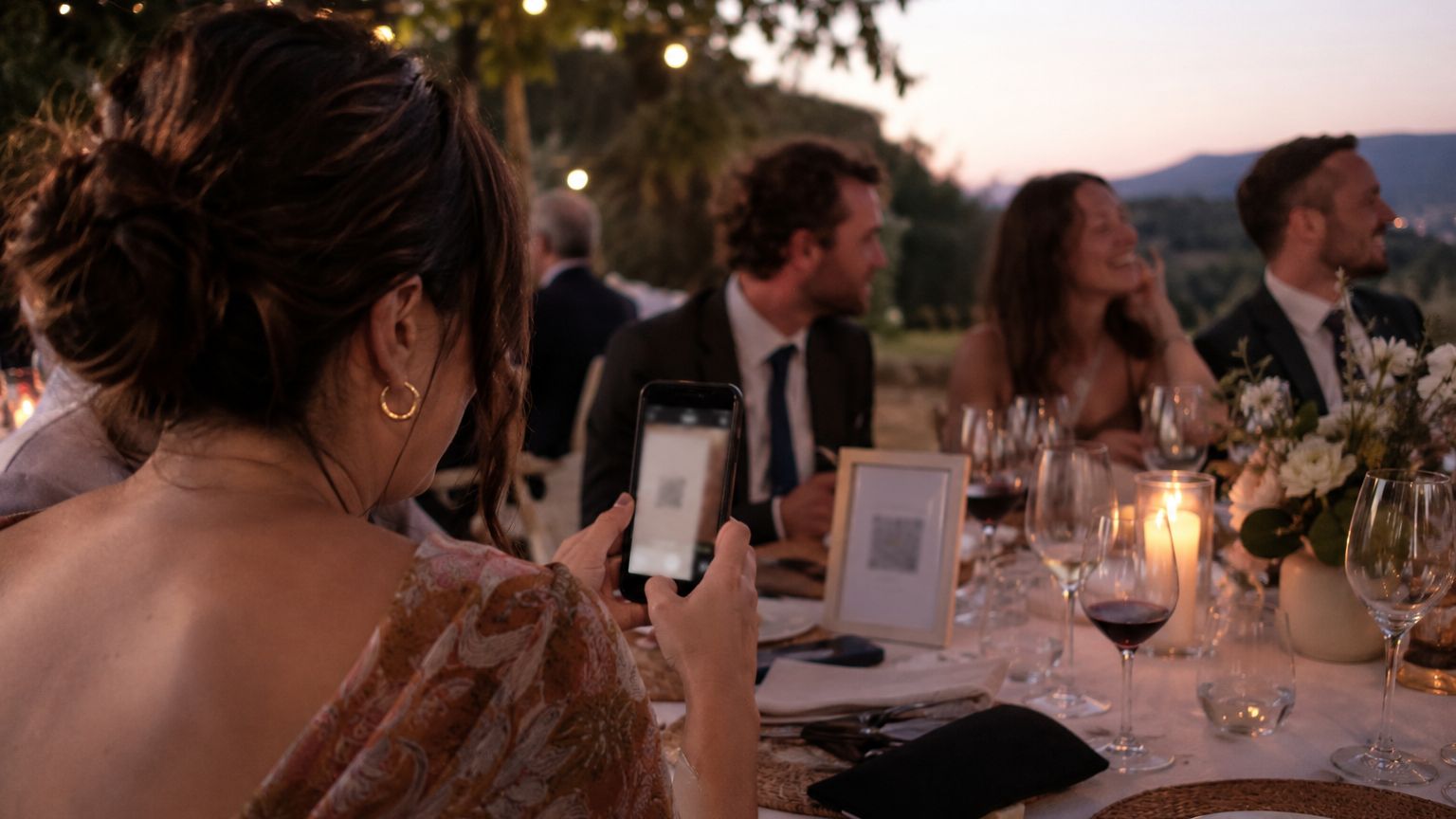

Capturing every precious moment of your wedding day isn't just about hiring the perfect photographer – it's about collecting all those candid shots and special moments your guests capture too! 📸 Let's dive into how you can easily collect and share wedding photos with all your guests. If you're building a more digital wedding experience overall, our guide on how to incorporate technology into your wedding is a strong companion read.
Don't have time to read the full guide? Here's the TL;DR: Text My Wedding gives you the perfect solution for collecting and sharing wedding photos. Send text messages to all your guests with your unique photo upload link, and gather every special moment in one place 🎉.
Starter plans and above include a Text My Wedding guest upload page for full-quality photos (Plus plans and above add videos), so you can start collecting photos right away.
We'll cover:
- Why Collecting Guest Photos Matters 📱
- Using Text My Wedding for Photo Collection 🌟
- How to Share Your Photo Collection Link 💌
- Best Practices for Guest Photo Collection ✅
- Making the Most of Text My Wedding 💪
- Sharing Your Gallery with Guests 🖼️
Why Collecting Guest Photos Matters 📱
Your wedding photographer will capture the big moments, but your guests catch all those spontaneous, candid shots that tell the complete story of your special day 💑. From silly dance floor moments to quiet conversations at cocktail hour, guest photos add an invaluable perspective to your wedding memories 🎭.
Think about it: while your photographer is capturing your first dance, Aunt Susan might be photographing your grandparents' emotional reaction, or your college roommate might catch that impromptu group photo that becomes an instant classic 🌟.
If you're still choosing between texting, QR codes, apps, and shared albums, our wedding photo and video collection guide compares every method — with copyable sign wording and DJ scripts.
Using Text My Wedding for Photo Collection 🌟
Text My Wedding's guest upload page makes it incredibly easy to collect and organize all your wedding photos in one place. Here's what makes it special:
Key Features:
- QR Code Access: Guests can quickly upload photos by scanning a unique wedding photo QR code 📲
- Private Upload Link: Share a secure link for guests to upload full-resolution photos (and videos on Plus plans and above) 🔒
- Guest Notes: Let guests leave a short note alongside their photos 📖
- Video Support: Plus plans and above can collect both photos AND videos 🎥
- Full Resolution: No more compressed or low-quality phone pictures 📸
How It Works:
- Set Up Your Collection: Open Photos & videos in Text My Wedding and choose Share with guests to get your upload link and QR code (included on Starter plans and above)
- Share Access: Distribute your QR code and private upload link to guests
- Collect Memories: Watch as photos and messages pour in from your celebration
- Download & Share: Access all your collected memories in full resolution

How to Share Your Photo Collection Link 💌
Text My Wedding makes sharing your upload link a breeze! Here are some effective ways to get the word out. This works especially well if you already have a broader plan for communicating with wedding guests.
- Week of the weddingPre-wedding textSend the upload link so guests have it saved.
- Wedding dayQR codes and a shout-outQR codes on tables, in programs, and a DJ announcement.
- Day afterThank-you textThank guests and ask for their photos.
- Once most photos are inShare the galleryText everyone the gallery link.
Before the Wedding:
- Send a pre-wedding text: "Can't wait to celebrate with you! Don't forget to capture moments throughout our special day. Here's where you can upload your photos: [Upload Link] 📸"
During the Wedding:
- Display QR codes on reception tables — our wedding photo QR code guide covers sizing, sign wording, and placement
- Include in wedding programs
- Have the DJ make announcements
- Set up a photo station with instructions
After the Wedding:
- Send a thank you text: "Thanks for celebrating with us! Please share your photos from our special day here: [Upload Link] ❤️"
Best Practices for Guest Photo Collection ✅
Make the most of your photo collection efforts with these tips:
- Clear Instructions: Send simple, clear directions for photo uploading 📝
- Multiple Reminders: Gentle prompts before, during, and after the wedding ⏰
- Encourage Participation: Make it fun and easy for guests to contribute 🎯
- Set Deadlines: Give guests a timeline for uploading their photos 📅
- Express Gratitude: Thank guests for sharing their perspectives of your special day 💝
Making the Most of Text My Wedding 💪
Your Text My Wedding plan includes powerful tools for photo collection and guest communication:
Plus Plan Benefits:
- Photo + Video collection capabilities
- Digital guest book features
- Mass text messaging to all guests
- Easy sharing of your upload and gallery links
- Seamless guest communication
Sample Text Templates:
Pre-Wedding Announcement: "Hey [Guest Name]! Save this link to upload your photos from our wedding: [Link] 📸"
Day-Of Reminder: "The celebration begins today! Don't forget to capture moments and upload them here: [Link]. Can't wait to see you! 🎉"
Post-Wedding Collection: "Thank you for being part of our special day! Please share your photos and videos here: [Link]. We can't wait to relive the memories! ❤️"
Mon, Jun 8 · 6:00 PM
Hey Sam! Save this link to upload your photos from our wedding: tmwed.us/s/9hTp 📸
Sat, Jun 13 · 9:00 AM
The celebration begins today! Can't wait to see you! 🎉 Don't forget to capture moments and upload them here: tmwed.us/s/9hTp
Sun, Jun 14 · 11:00 AM
Thank you for being part of our special day! We can't wait to relive the memories ❤️ Please share your photos and videos here: tmwed.us/s/9hTp
Sharing Your Gallery with Guests 🖼️
Once you've collected all those amazing photos and memories, it's time to share them back with your guests! Text My Wedding makes it simple to share your complete wedding gallery with everyone who celebrated with you.
How to Share Your Gallery:
- Access Your Gallery: Open Photos & videos in Text My Wedding
- Copy Your Gallery Link: Choose Share with guests and open the Gallery link tab
- Protect It (Optional): Add a viewing passcode under Settings → Event details → Feed settings
- Share with Text My Wedding: Use our platform to send the gallery link to all your guests
Sample Gallery Share Messages:
Initial Gallery Share: "Our wedding photos are ready! 🎉 View and download your favorites here: [Gallery Link]. Thanks for being part of our special day! 💕"
Reminder Message: "Don't forget to check out our wedding gallery! So many beautiful moments to relive: [Gallery Link] 📸"
Final Call: "Last chance to download wedding photos! Gallery will be available until [Date]: [Gallery Link] ❤️"
Sun, Jun 28 · 7:00 PM
Our wedding photos are ready! 🎉 Thanks for being part of our special day 💕 View and download your favorites here: tmwed.us/s/Gx3w
Crying at the first dance photos 😭 thank you!!
Pro Tips for Gallery Sharing:
- Timing: Wait until you've collected most guest photos before sharing the gallery
- Clear Instructions: Include simple steps for viewing and downloading
- Personal Touch: Add a heartfelt message thanking guests for their contributions
Conclusion
Collecting and sharing wedding photos doesn't have to be complicated. With Text My Wedding, you can easily gather every special moment from your celebration and share them back with your guests. Start your photo collection journey today and ensure no precious memory goes uncaptured. If you want to coordinate reminders around your gallery launch, use the same approach you would for mass text reminders. For the photos guests post to social rather than upload, a shared tag helps you find them later — our wedding hashtag generator builds one from your names.
About the Author
Emily is a wedding writer focused on guest communication, planning logistics, and practical ways to make wedding days run more smoothly. She writes guides and real-world case studies that help couples stay organized and keep guests informed.
Keep reading
How to Collect Addresses for Wedding
Google forms and Text My Wedding are the easiest ways to collect addresses for a wedding in 2026. You can collect your guests' addresses easily by sending the form via text.

Paperless Post vs Greenvelope: What is the Best Online Invitation Service?
Paperless Post, Greenvelope, and Evite are popular online invitation services. But which one is the best for your wedding?
Save the Date Text Messages: Your Ultimate Guide
How to word, time and send a save the date text message, with examples for formal, casual and destination weddings and a plan for follow-up texts.